| Item |
Specification |
Display
elements |
Fixed displays |
A total of 65,535 per screen
(Graphics: Continuous straight lines, rectangles, circles, polygons, arcs, sectors) |
With overlapping screens,
the total is 524,280 per screen |
|
Fixed character strings |
| Graphics |
| Marks |
| Numeral displays |
256 positions per screen, max. 10-digit display (2 words) |
Character string
displays |
256 positions per screen, max.
1,024 display elements for overlapping screens |
| Graph displays |
50 positions per screen, capable of displaying signs and percentages |
| Analog meters |
50 positions per screen, capable of displaying signs and percentages |
| Trend graphs |
One frame per screen, 50 items per frame
(8 items max. for data logging) |
| Broken line graphs |
One frame per screen, 256 items per frame,
260 points per item |
| Lamps |
256 positions per screen |
| Image library images |
256 positions per screen |
| Touch switches |
256 positions per screen, max. 256 meshes |
| Numeral settings |
256 positions per screen
(numerical key pad) |
Total of 256 positions for both numerical and thumbwheel settings |
| Thumbwheel settings |
26 positions per screen |
| Character string settings |
256 positions per screen |
| Temporary inputs |
One position per screen |
| Alarm lists/histories |
Four groups per screen |
Screen
types |
Recipes |
One position per screen |
| Normal screens |
Displays screens registered as normal |
| Overlapping screens |
A maximum of eight screens can be displayed overlapping each other. |
| Windows |
Up to three window screens can be displayed. |
| Display history screens |
Order of occurrence (1,024 screens max.), order of frequency (255 times max.) |
| System startup screen |
Displayed when powering ON (or resetting ) the PT,and when switching to RUN mode.and when switching to RUN mode. |
| Programming Console screen |
Emulates PLC Programming Console functions, capable of being called from RUN mode. |
| Screen attributes |
Buzzer, display history, normal background colors,
backlight mode, local windows |
Number of
screens |
Max. number of registered screens |
3999 |
| Screen number |
0: No display
1 to 3999: User registered screens
(normal, overlapping, windows)
9000: System startup screen
9001: Display history screens, order of occurrence
9002: Display history screens, order of frequency
9020: Programming Console screen
9999: Return to previous screen designation |
| Screen registration method |
By transferring screen data from the NT Support Tool to the PT via serial communications |
By mounting the Memory Unit and downloading
(automatic/manual transfer) data to the PT |
| Saving screen data |
Flash memory (PT internal image memory) |




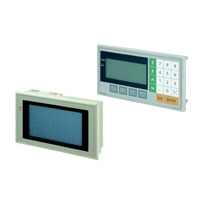
 Item list of NT11 / NT21
 Top of Page